
Course Finder for Technical Rigging Training at Rigging Lab Academy
You know you need to learn more. The discipline is clear, the commitment is there, and somewhere in the RLA course library is exactly what you need — study guides, video demonstrations, reference materials, and critical analysis frameworks. The curriculum is comprehensive. Which is part of the problem. When the library is deep, finding the right course to start with isn’t always obvious.
Knowing you need to learn something and knowing where to learn it are two different problems. Course Finder is built for the second one.
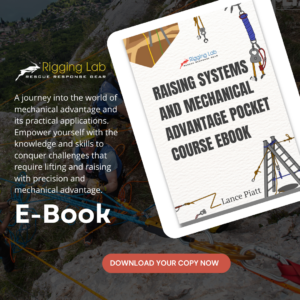
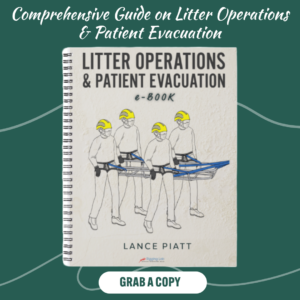
The RLA training library is organized across four formats. Study Guide Courses run from foundational to advanced — ten numbered courses covering anchors through arbor and tree climbing. Video Libraries offer practical demonstrations organized by topic, from command and coordination to technical rigging and specialized environments. The Reference Library holds pocket courses and eBooks on mainline systems, mechanical advantage, force multipliers, and litter operations. The Critical Analysis System provides the advanced reasoning framework for operational decision-making.
That breadth is a feature. But for a student or technician looking for a specific entry point — by topic, by skill level, by operational need — it can feel like the answer is in there somewhere without a clear path to it. The course exists. Finding the right one is the challenge.
“The curriculum is there. Course Finder is how you find your place in it.”
Consider the moment a student — or a technician looking to build on what they know — opens a tool and sees a simple prompt: Select one of the Quick Start options below, or enter your system configuration and constraints to begin analysis.
Five options. The first one is about where to begin.
The moment of entry
The screen offers a choice without demanding credentials first.
Rigging Guidance
Technical Rescue Questions
Scenario Analysis
Systems Check
One tap. Course Finder. The library becomes navigable.
What activates isn’t a search bar. It’s a mode that understands the full shape of the curriculum and can match your topic, skill level, or operational need to the course that fits. Search by subject — anchors, mechanical advantage, patient care. Search by level — beginner to advanced. Search by what you’re actually preparing for — confined space, tower work, highlines.
What the library holds
Explore further
The verified source links behind each response go directly into the course structure — primary lesson, supporting course, confidence rating. The connection between Accelerator and the curriculum isn’t implied. It’s explicit. One system. Two access points. Accelerator for the operational moment. CORE for the learning that makes those moments possible.
That relationship is what this series has been about. Five modes. Five different moments in the lifecycle of a technician or student — finding guidance, verifying a system, asking a precise question, reasoning through a scenario, and finding the right course. Each one has a different kind of need. Each one met by the same underlying knowledge base, expressed in the form that fits the moment.
The curriculum is comprehensive because the discipline demands it. Every topic, every skill level, every operational context has a place in it. Course Finder is how you find yours.
Sometimes the step is just choosing Course Finder. And finding out that the course you needed was already there — waiting for the moment you decided to look.
That’s what it feels like when the library has a door. Not a wall of content to scroll through. A way in — specific to where you are, pointing toward where you need to go.
Peace on your Days
Lance